 NextStep
Image Organizer for Windows — Sort Photos and Remove Duplicates with PhotoSweep
Desktop utility for finding and removing duplicate images, with filtering options and safe file management features.
PhotoSweep Features
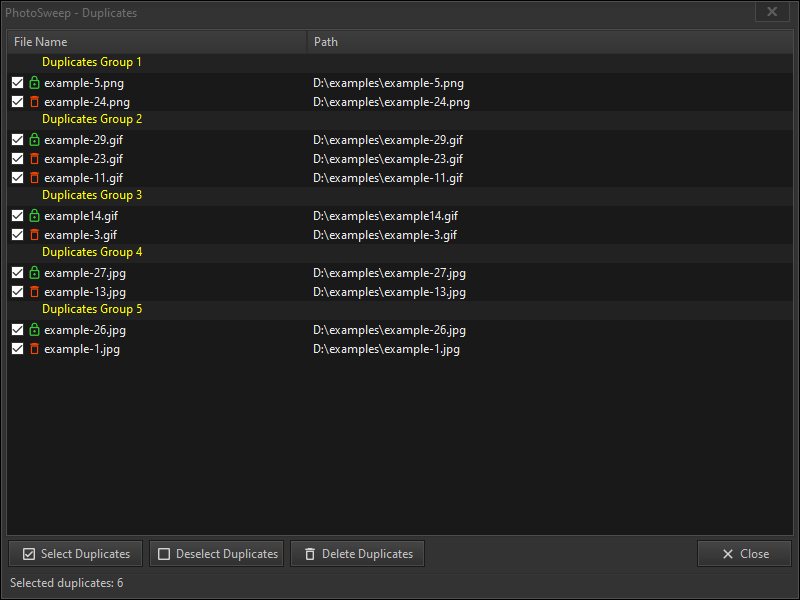
Duplicate Image Detection
Automatically find identical images across your folders and review duplicates side by side.
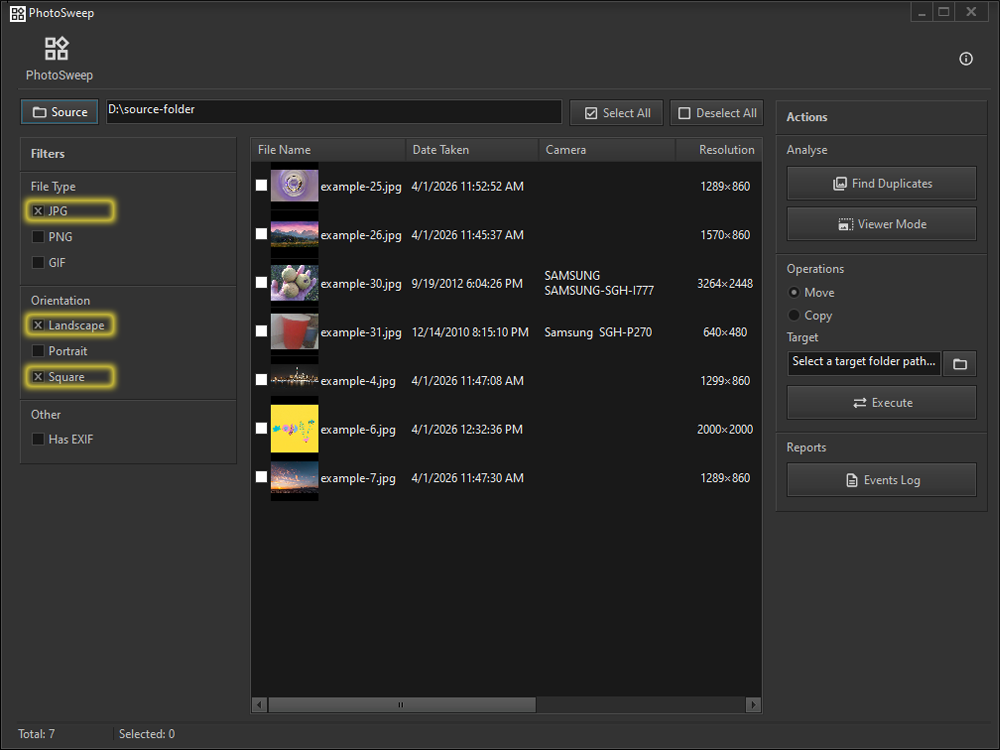
Filtering Options
Filter by file type, orientation, or EXIF metadata to narrow down a large selection quickly.
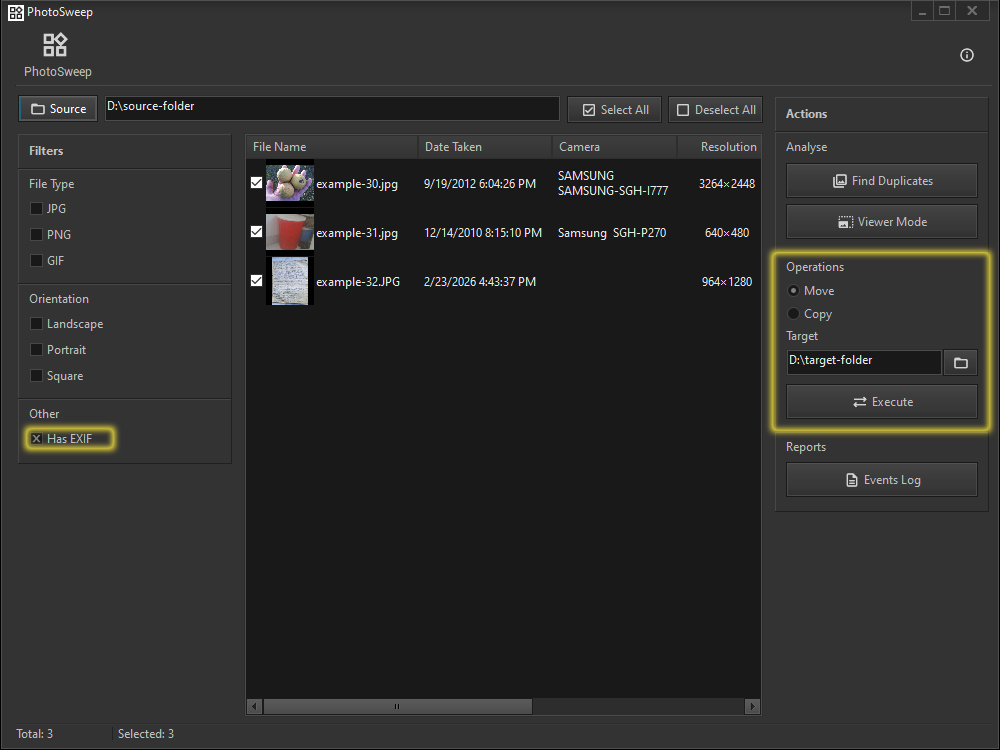
Safe File Management
Copy and move files safely, avoiding accidental loss of data during cleanup.
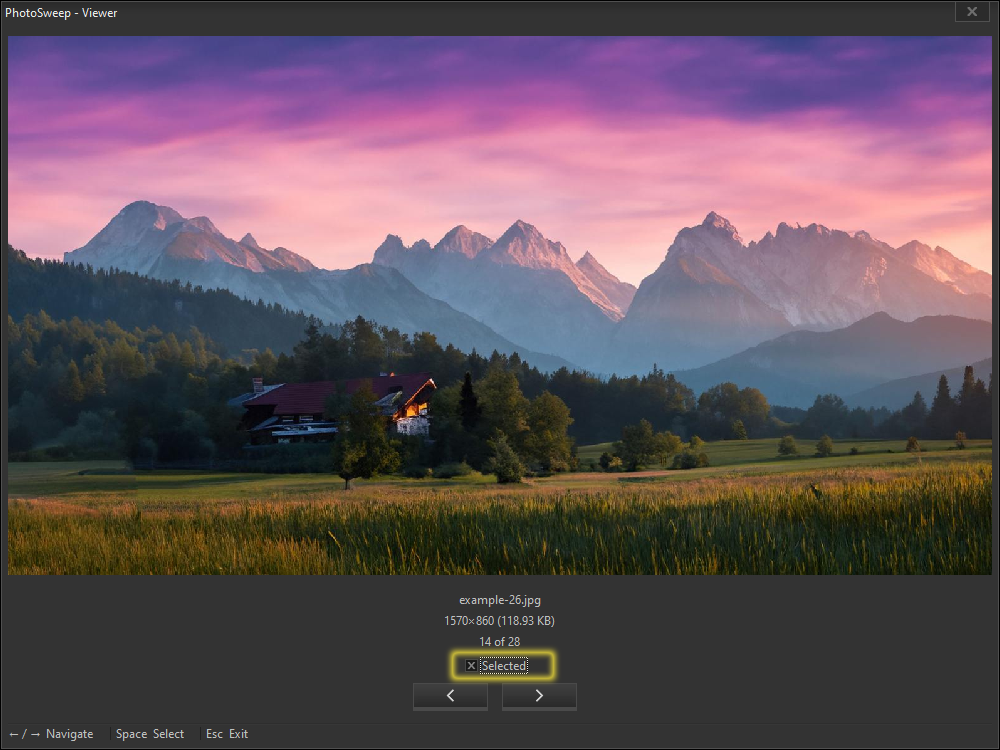
Selection Tools
Preview images and navigate large batches easily while selecting files to act on.
About PhotoSweep
Large image folders build up quickly, and it becomes difficult to keep them organized or find anything specific.
PhotoSweep helps you sort, filter, and manage files within a selected folder — reviewing images, selecting the ones you need, and moving or copying them to the right place.
It also identifies duplicate images, so you can clean up unnecessary copies and free up disk space without doing it file by file.
Main Capabilities
- Scan folders for duplicate images
- Filter by type, orientation, and EXIF data
- Safe copy, move, and deletion of files
- Lightweight and fast, even on large libraries
Frequently Asked Questions
How does PhotoSweep detect duplicates?
CONFIRM: describe the method briefly (exact match / perceptual hash / similar-image detection) — buyers often ask this before purchasing.
Can PhotoSweep delete files permanently?
CONFIRM: clarify whether removed files go to the Recycle Bin or are deleted permanently — this matters a lot for trust.
Does PhotoSweep upload my photos anywhere?
No. All scanning and comparison happens locally; your photos never leave your computer.